KB vs MB Image Size Explained (With a Conversion Table)
KB vs MB image size explained: 1000 vs 1024, why portals reject files that look fine, plus a quick conversion table and how to fix oversized images.
Quick answer
A megabyte (MB) is bigger than a kilobyte (KB): 1 MB equals 1,000 KB in the decimal system and 1,024 KiB in the binary system. Because tools use different conventions, one file can show slightly different sizes. When a portal has a limit, aim 5 to 10 percent below it.
You check a photo, it says 1.98 MB, the form says the limit is 2 MB, and the upload is rejected anyway. Or the limit says 200 KB and your file shows 205 KB on one screen and 200 KB on another. Nothing is broken. The two sides are simply counting differently.
This guide explains the units, shows a quick conversion table, and gives you practical habits so file size limits stop surprising you.
- 1 KB = 1,000 bytes
- 1 MB = 1,000 KB
- Common on websites and storage labels
- Some operating systems report this way
- 1 KiB = 1,024 bytes
- 1 MiB = 1,024 KiB
- Used by many file managers
- Often still labeled KB and MB
What KB and MB actually measure
A byte is the basic unit of digital storage. A kilobyte is a thousand bytes in the decimal system, and a megabyte is a thousand kilobytes. The binary variants, written KiB and MiB, are based on powers of two: 1 KiB is 1,024 bytes and 1 MiB is 1,024 KiB.
The difference is small, about 2.4 percent at the kilobyte level, but it grows as units get bigger. At the megabyte level the gap is about 4.9 percent, which is enough to turn an "almost 2 MB" file into one that is just over the limit.
Why your computer and a website show different sizes
Many file managers use the binary convention but print the label KB or MB. A website that checks the file on upload may count in decimal, or it may check the raw byte count against a number it chose. If the site sets a limit of 2,000,000 bytes and your file is 1.95 MiB, which is about 2,044,723 bytes, the site will reject it even though your file manager shows less than 2.
There is no way to know which convention a given portal uses from the outside. That is why the safest habit is to leave a margin, which the next section covers. For a concrete 2 MB example, see reduce photo size to 2000 KB.
Quick conversion table
Use this table to translate between the two units. Values are rounded and shown for both conventions, so you can see how far apart they can be.
| Size | Decimal (1 MB = 1,000 KB) | Binary (1 MiB = 1,024 KiB) |
|---|---|---|
| 100 KB | 0.1 MB | about 0.098 MiB |
| 500 KB | 0.5 MB | about 0.49 MiB |
| 1000 KB | 1 MB | about 0.98 MiB |
| 1 MB | 1,000 KB | 1,024 KiB |
| 2 MB | 2,000 KB | 2,048 KiB |
| 5 MB | 5,000 KB | 5,120 KiB |
Why portals reject files that look fine
Beyond the unit mismatch, several other things cause surprising rejections. Think of them as a short checklist.
Keep in mind that each portal has its own rules, so the exact limit and how it is counted come from the site's own instructions.
- The file is just over the limit under the portal's counting method
- The form also has a minimum size and your file is too small
- The extension does not match the real format, for example a renamed HEIC
- The image has the wrong pixel dimensions, even though the KB size is fine
- The file was modified or re-saved after you checked the size
How to hit a size limit safely
Treat the limit as a ceiling and aim below it. For a 200 KB limit, target about 180 KB. For a 2 MB limit, target 1.8 MB. Resize the image first and compress second, as covered in compress an image to 100KB without losing quality.
- 1Read the portal's limit and note whether it is a maximum, a range, or a maximum plus required dimensions.
- 2Set your target about 5 to 10 percent below the maximum.
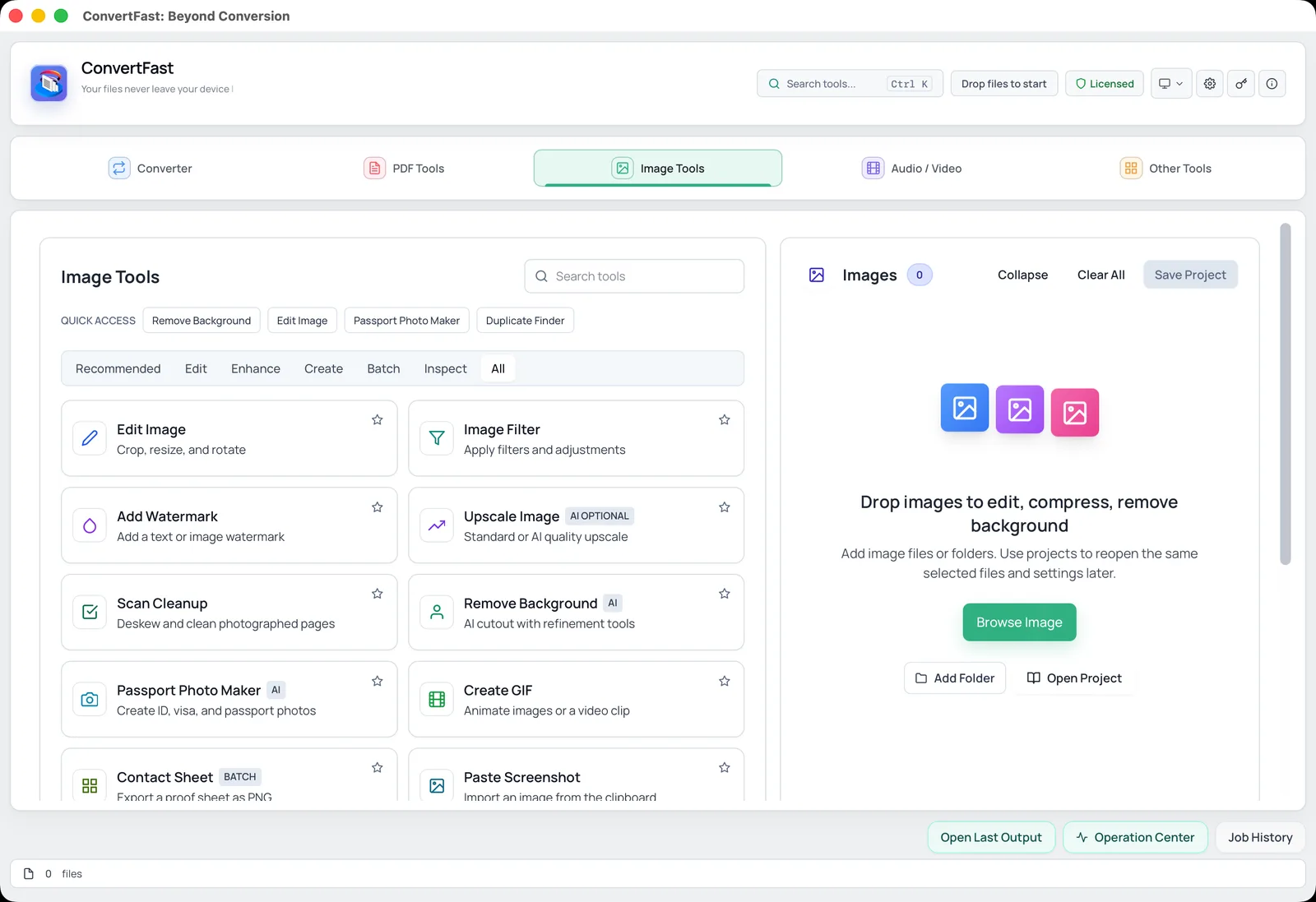
- 3In ConvertFast, open Image Tools and resize with Edit Image if the image is large.
- 4Compress to the target size using image compression, for example compress image to 200KB or compress image to 1MB.
- 5Save to a new folder and check the final size before you upload.
Reading sizes in the app and on your system
To see exact byte counts on Windows, open file properties and read the number in parentheses next to the rounded size. On macOS, Get Info shows both a rounded figure and the exact bytes. Comparing that byte count to the portal's limit removes any guesswork about conventions.
If you often work against size limits, a desktop tool that compresses to a target size saves time. ConvertFast does this offline for single files or whole folders, which also helps with compress images for email attachments.
Where size limits show up in real life
Size limits appear in many places: government and exam forms, job applications, email attachments, social media uploads and website builders. Each has its own limit and its own way of counting, which is why a rule of thumb about margins is more useful than trying to memorize exact numbers. For forms, compress image to 100KB for online application is a typical target; for email, a per-photo budget works better, as described in compress images for email attachments.
When a limit is very small, such as 20 KB or 50 KB, the pixel dimensions matter more than the unit confusion, because a large image cannot fit in such a small space. When a limit is generous, such as 5 MB, you can usually just resize modestly. Understanding the units helps you choose the right target, and the right target prevents the trial-and-error cycle of compress, upload, fail and repeat. If a file still refuses to shrink, why your JPG is still too large after compressing lists the usual causes.
Frequently asked questions
How many KB are in 1 MB?
In the decimal system that most websites use, 1 MB is 1,000 KB. In the binary system used by many file managers, 1 MiB is 1,024 KiB. Because the labels are often written the same, the same file can appear to have slightly different sizes depending on the tool.
Is 2000 KB the same as 2 MB?
In the decimal convention, yes: 2000 KB is exactly 2 MB. In the binary convention it is about 1.95 MiB. Either way, aim for a file around 1.8 MB or less when a form says the limit is 2000 KB or 2 MB, so counting differences cannot push you over.
Why does my file show a different size on the upload page?
The upload page may count in decimal or check raw bytes against its own number, while your file manager may report binary units or round the figure. Check the exact byte count in file properties and keep a margin below the limit.
Which is bigger, KB or MB?
MB is bigger. A megabyte is about a thousand kilobytes. So a 500 KB image is half a megabyte, and a 5 MB photo is about 5,000 KB. Converting between them is a matter of multiplying or dividing by 1,000, or 1,024 in the binary system.
How do I reduce an image from MB to KB?
Resize its pixel dimensions first, then compress it to a target size. For example, you can compress a 4 MB photo to under 200 KB for a form. ConvertFast does this offline, so the image is processed on your own computer and not uploaded.